Blog
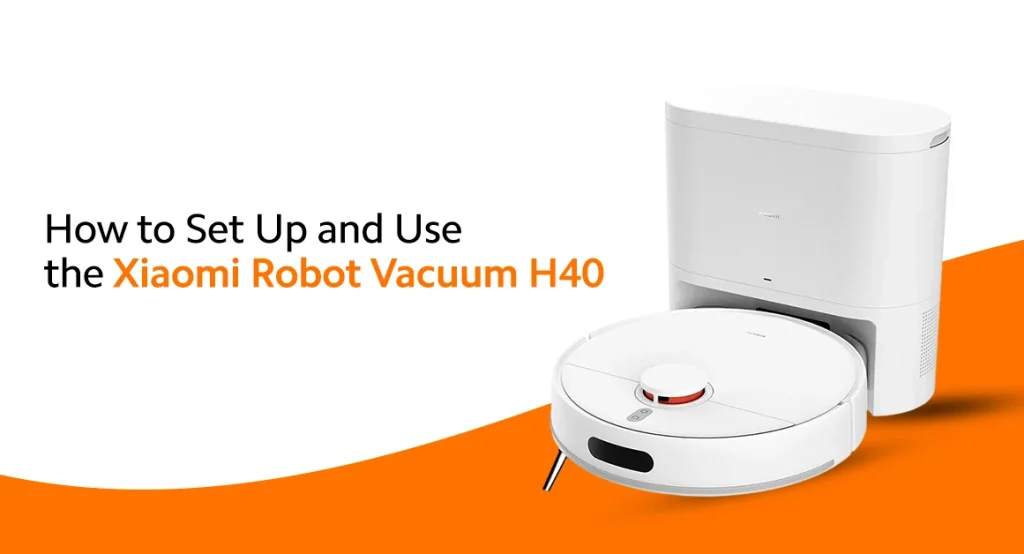
How to set up and use the Xiaomi Robot Vacuum H40 is the first question that comes to mind after bringing a smart cleaner. In Pakistani households, the cleaning tasks are endless. Wind blowing, children leaving crumbs, and unexpected guests mean continuous mopping. The good news is the Xiaomi vacuum can take over the cleaning and takes only a few minutes to set up. This smart vacuum is designed to take over the daily cleaning chores. Meanwhile, you can do other tasks or enjoy the time with your family. Below is the step-by-step guide that will show you how to get the vacuum running.
What’s Inside the Box?
You need to know what you are getting inside the box. It would make you familiar with the contents of your vacuum before running. Let’s have a closer look.
- Xiaomi Robot Vacuum H40
- Charging dock
- Power adapter
- Side brush
- Dustbin and water tank
- Mop pad
- User manual
Remove all the protective stickers when using the robot.
How to Setup Xiaomi Robot Vacuum H40?
When you buy Xiaomi Robot Vacuum H40, the first step in setting up is to choose the perfect spot for the placement of the charging dock. But let’s understand what a charging dock is. You will have the idea of its purpose and can place it appropriately.
It is a stand where your vacuum returns after cleaning the floor. It empties itself in the charging dock and recharges the battery. After completing the mop, the vacuum navigates its way to the charging dock automatically. Now, you know why the right location of the dock is important.
Choosing the Right Location
The best location is to place it against the wall. Leave the maximum space on both sides so that the robot can navigate its path easily. To maximize the convenience for the Robot Vacuum H40, follow the spaces mentioned below
- Keep at least 0.5 meters of space on both sides.
- Leave around 1.5 meters of clear space in front.
- Avoid placing it near stairs or under furniture.
- Plug it into a wall socket that remains switched on.
Charge Robot Vacuum
The next step is to charge the robot. Attach the brush as shown in the manual with a click sound. Push the vacuum gently into the charging dock and let it charge fully. Charging may take several hours, so leave it until full.
If you’re not at home when the robot is cleaning, it is possible to keep survelliance at your home or pets using your phone and a Xiaomi Smart Camera.
Connect it to the Mi Home App.
After charging, you can easily connect your vacuum to your Redmi mobile. For this, install the Mi Home App from the Google Play Store or Apple App Store.
After installing, there are some easy steps to follow:
- Create or sign in to your Xiaomi account.
- Turn on Bluetooth and WiFi.
- Connect your phone to a 2.4GHz WiFi network.
- Open the Bluetooth and click on ‘+’ to add a vacuum
- Follow the on-screen instructions to pair the Xiaomi Robot Vacuum H40
Prepare Your Home Before Cleaning
Before you set the robot to clean, it has to set the map of the home. For this, the gadget will run in your home to get the map installed in it. You can do the following actions to provide maximum ease to the user.
- Remove loose wires.
- Pick up small toys.
- Move lightweight rugs if needed.
- Open the doors to the rooms you want cleaned.
- Keep pets away during the initial mapping.
Let the Robot Map Your Home
Tap ‘Start Mapping’ in the application. The H40 will use its Laser Navigation to save the 3D Floor plan of your home, so it won’t leave any corners while sweeping. Avoid moving the robot manually; let it scan the area first. Once it is finished, the whole digital map is saved inside.
How to Use Robot Vacuum H40?
You have several cleaning options to choose from according to the cleaning requirements. These are as follows:
- Silent mode is best for evening cleans; keeps noise to a minimum.
- Standard mode is great for daily dust management
- Strong mode is perfect for picking up heavier dirt, sand, and pet hair.
- Turbo mode can withstand the 10,000Pa suction power, which is ideal for deep cleans on carpets.
Each house might have its own cleaning needs. Standard Mode will let you get rid of dust on normal days. If your children have been playing indoors, you’ve had visitors over, or a dust storm has brought extra dirt into the house, choose turbo mode. If dust is a common problem in your area, you can also set up a Xiaomi Air Purifier to make the indoor air cleaner.
The robot is also programmed to clean during the absence of the residents, e.g., when everyone is at work, school, or tuition. If you want to keep your floors clean without using maximum power each time, you will need to choose the right cleaning mode. If you are planning to buy a Xiaomi Robot vacuum H40, choose genuine Xiaomi sellers. Mishop.pk is the best online Mi store Pakistan, to get genuine Xiaomi products at the lowest prices. We deliver the products safely to your home, without any hassle.
Set Up Issues and Quick Solutions
Things don’t always go according to plan. Below are some typical problems and solutions.
Vacuum Robot won’t connect to WiFi.
- Make sure you’re using a 2.4GHz WiFi network.
- Restart your router.
- Reconnect the robot to the WiFi again and connect via the app.
Robot Can’t Find the Charging Dock
- Ensure that there is enough space in the dock.
- Make sure the vacuum has been placed correctly.
- Clear out any obstacles from the path of the robot.
Mapping Is Incomplete
- Open all the room doors.
- Remove obstacles.
- Let the robot complete one complete cleaning pass.
Is the Robot Vacuum H40 Worth Buying?
If you’re reading Robot Vacuum H40 reviews, you’re likely wondering if it’s worth it. Yes, it’s perfect for many Pakistani families. Whether you are a housewife handling the household chores or a working woman with a packed schedule, the robot vacuum can make life easier. Guests, children, or dusty weather can cause routine dusting daily, so it works best to manage workload. Instead of worrying about cleaning daily, you can come home to clean floors.
Conclusion
With this guide, you will know how to set up and use the Xiaomi Robot Vacuum H40, and you will be able to set up the vacuum in no time. The right cleaning mode, setup, and regular maintenance will help the robot to clean the best way every day. With its practical design, the Xiaomi Robot Vacuum H40 is an ideal choice for Pakistani homes. Whether you’re busy in the house or simply want to save time on daily cleaning, it has got you covered. If you are looking to buy a Xiaomi Vacuum Robot H40, Mishop.pk is the one-stop shop to get pin-packed Xiaomi products. You have access to other lifestyle accessories like the Xiaomi Smart Kettle and the Mi Handheld Garment Steamer. So visit us today.
FAQs
How long does the Xiaomi Robot Vacuum H40 take to charge?
The Xiaomi Robot Vacuum H40 usually takes a few hours to charge fully. For the best results, let it reach a full charge before the first cleaning session.
Can Xiaomi Robot Vacuum H40 clean carpets?
Yes, the Xiaomi Robot Vacuum H40 can clean both hard floors and carpets. Its powerful suction helps remove dust, pet hair, and dirt from low- to medium-pile carpets.
Does Xiaomi Robot Vacuum H40 work without WiFi?
The robot can perform basic cleaning using its onboard controls. However, connecting it to WiFi through the Mi Home app unlocks features like scheduling, map management, and remote control.
Can I schedule cleaning through the Mi Home app?
The Mi Home app allows you to schedule cleaning at your preferred time. You can set it to clean while you’re at work, school, or away from home.